I cloned a coworker's checkout
Every prototype at Zoro started the same way: rebuild the header, rebuild the footer, rebuild the buttons. Designers don't have access to the production codebase, so every project began by recreating pages that already existed. In Figma that took about a week, and in Cursor, starting from nothing, about four hours.
Then I started a project that changed the cart and checkout. Aaron, another designer, had already prototyped both, and rebuilding them made no sense, so I found his repo, cloned it, and pulled out what I needed.
I told him I'd done it, and how much time it saved me. Copying components between projects got a prototype down to about 40 minutes, but raiding each other's repos wasn't going to work for a whole design team.
So I built a library
I looked at how engineering handled this, and several teams at Zoro already used Storybook. So I proposed it, created the repository, and set it up.
It had to match production exactly or it was useless. I worked with engineers to document the real stack, Vue, TypeScript, Vuetify and SCSS, down to the version numbers and even the order the code is written in. All of that went into the setup docs and the agent rules, so anything built in the library is built the way engineering builds it. Every value maps to a design token, and nothing is hard-coded.
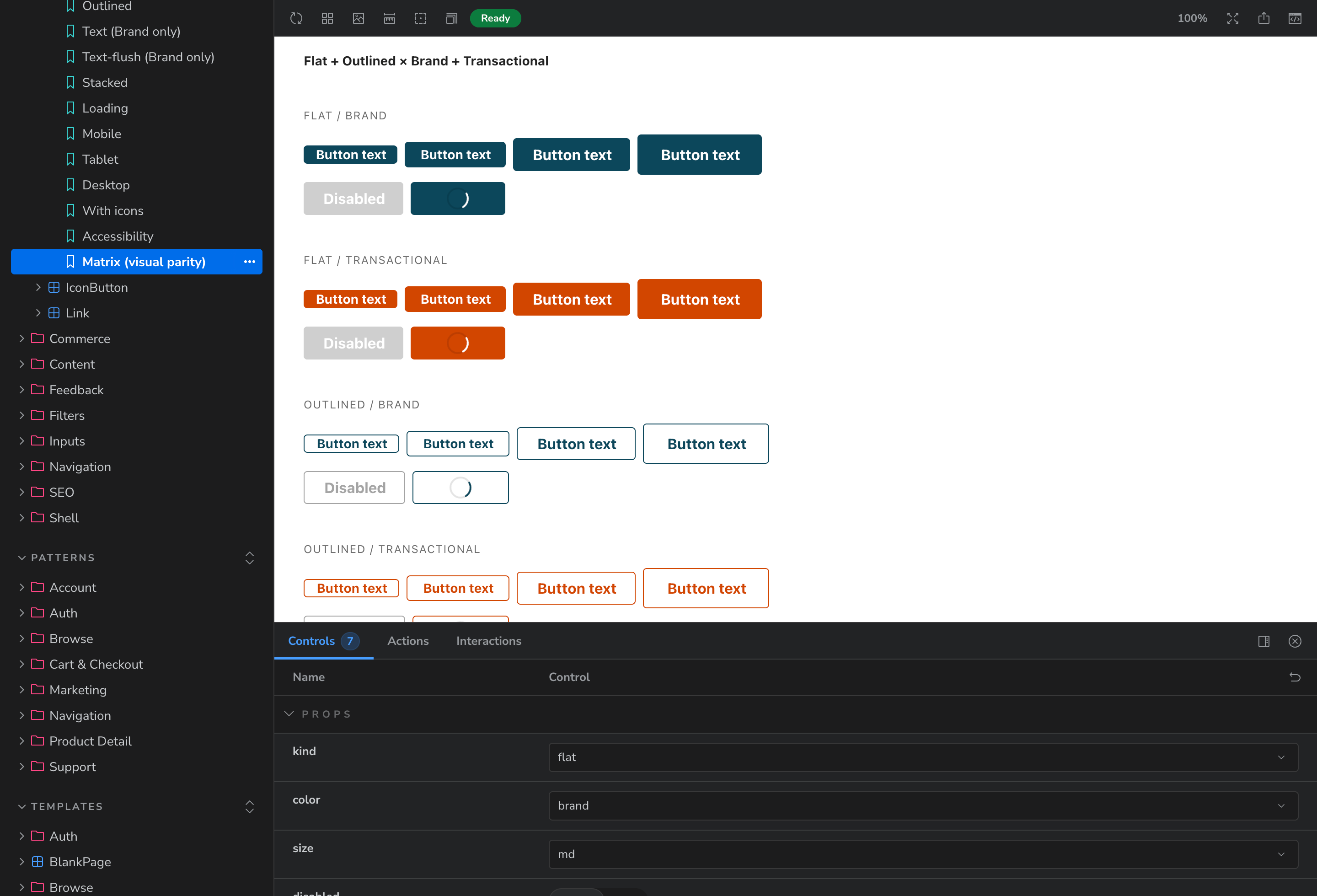
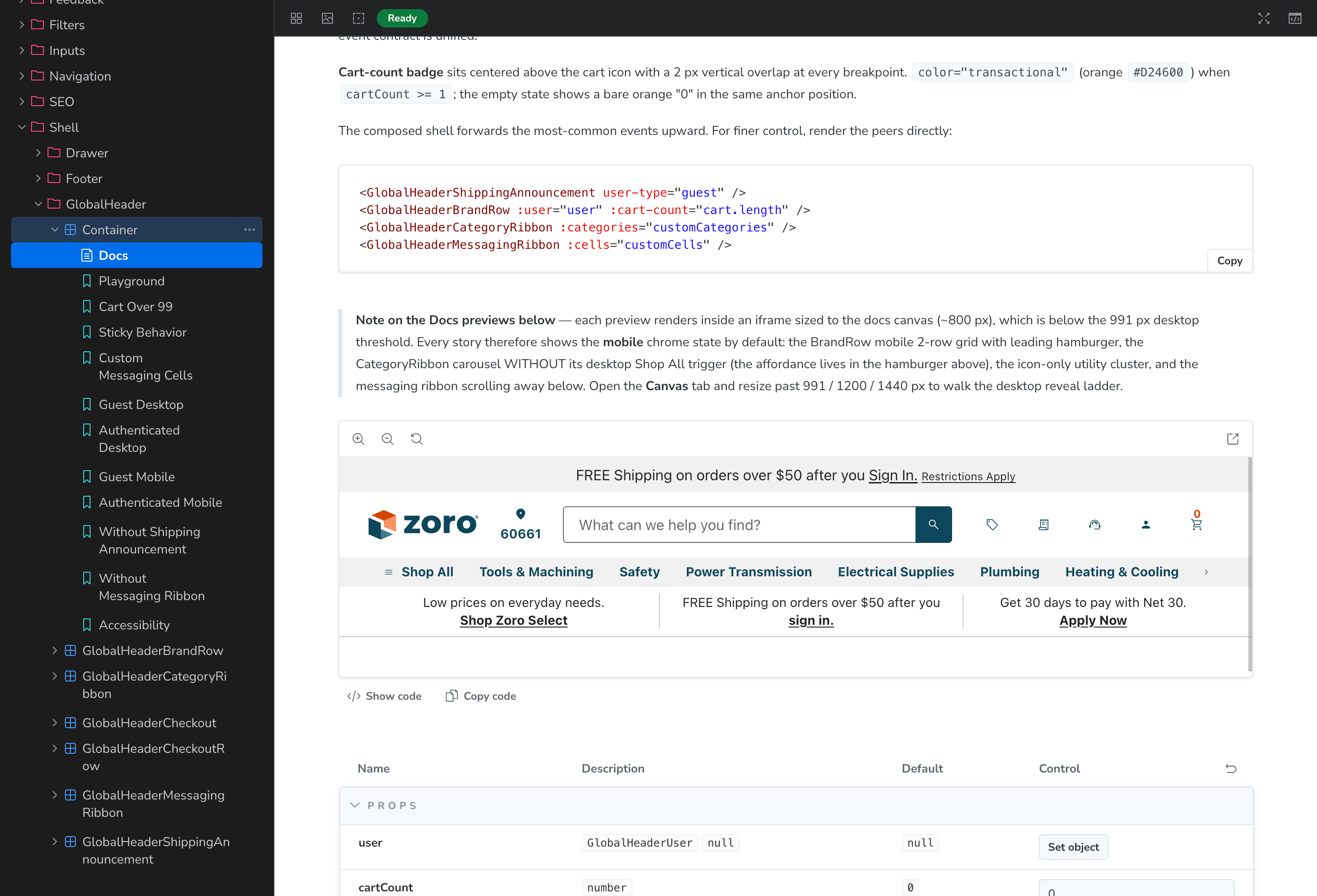
Then I loaded in what I had, more than 20 components and patterns: the navigation, the footer, the buttons, and pieces from my own team's work like the Deals cards and the Deals Drawer. The patterns work, too. Click Deals in the navigation and the drawer opens.
Then I called Aaron and asked if he wanted in. He added well over a dozen of his own, and after that we split the rest in our meetings: I'll take these, you take those.
Six weeks after I created the repository, we shared it with the team, with most of the site's pages already working as templates. Today it holds more than 100 components.
Real products, real filters
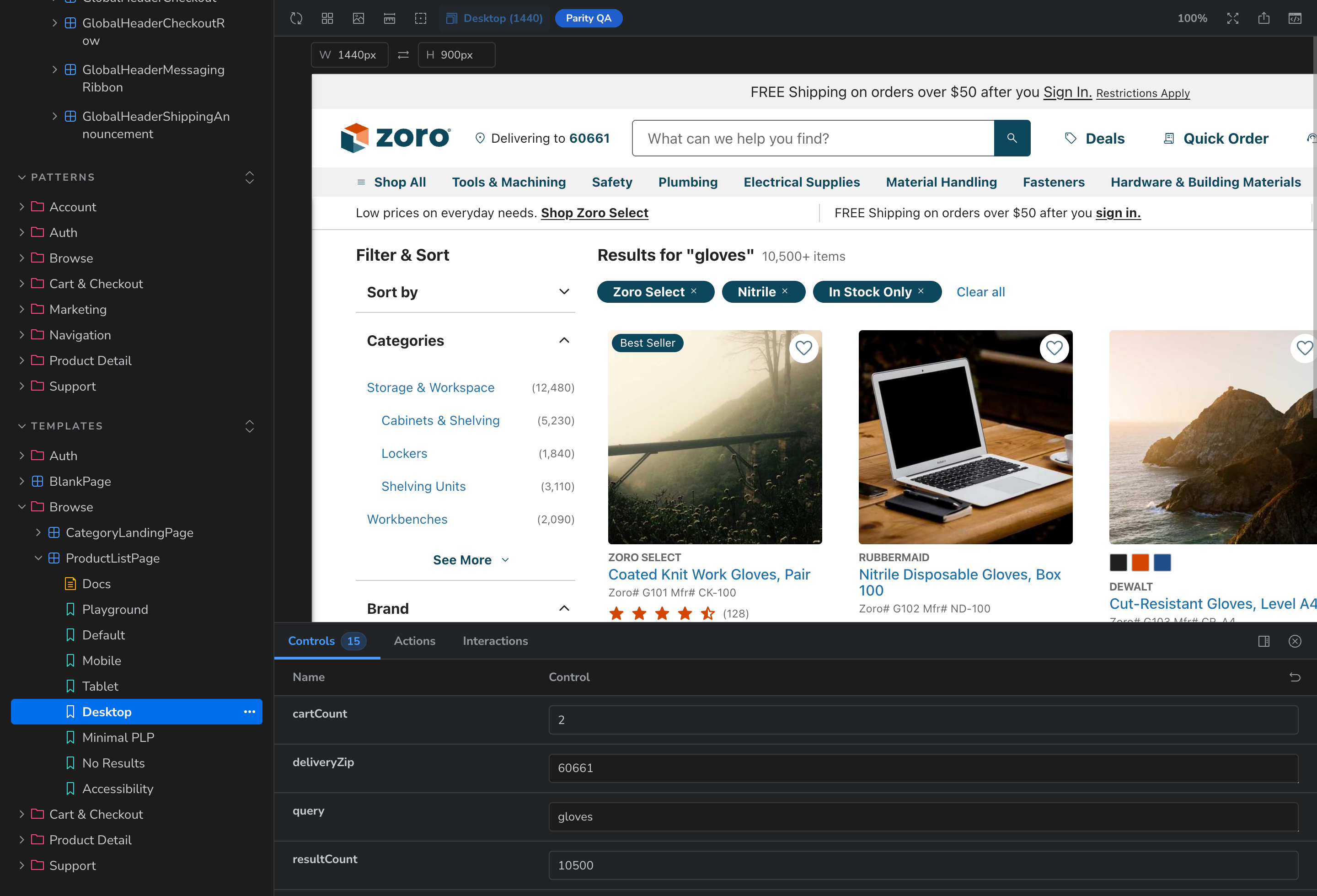
A product page full of placeholder boxes doesn't tell you much, so I wanted real products in the prototypes. But prototypes weren't allowed to connect to the live product data.
So I went looking for a workaround. I asked an engineering manager, who pointed me to one of my engineers, and he told me the first rows of the product store could be read without a key. He sent me a link and said to see if Claude could do it, and it could. I came away with 200 real products, with their data, their attributes, and where their images live. Keeping that on my laptop would only help me, so I put it in its own repository that every designer can reach. Now a search results page fills with real products, and the filters work.
Ninety seconds
A library only helps the people who use it, and most of our designers had never opened Cursor. The plan from the start was that they shouldn't have to learn much to get a working page.
So the instructions ship inside the library. I explained to Claude what I wanted, which was to clone the repository, say which pages you need, and get those pages, and Claude wrote the documentation and the recipes. A recipe is a command for one page template, and typing it builds the page.
The on-ramp: two prompts, about 90 seconds
Clone
Follow the Start Here guide and clone the library.
Context
Drag the folder into your AI tool and paste the setup prompt.
Recipe
Type the command for the page you need, like /add-pdp-page-template.
≈90s
Ready
A working page on the production stack, ready for your feature.
Aaron and I tested it on a brand new project, and it produced a working page on the first try. We ran it twice more and tightened it each time.
The first convert
The library's first real user was a designer who was hesitant about AI. She was stuck trying to prototype a complicated multi-user account flow in Figma, so Aaron suggested the library and walked her through it, and she was up and running almost immediately.
She called it "incredibly simple and empowering," and said she never wants to prototype in Figma again. I then showed her how to build it and host it, so she could put the prototype in front of users. That was the test that mattered, because I built it for the designers who weren't going to seek this out on their own.
What it bought
Figma, by hand
About a week
Cursor, from scratch
About 4 hours
Cursor, copying components between projects
About 40 minutes
The library
About 90 seconds
On the loyalty program, I used the library to generate 12 concept directions for every touchpoint. That's normally a week of work, and it took 90 minutes.
It stopped being a side project
I didn't ask permission first. I showed my manager a working library and a plan, and he approved it.
Then Zoro hired a new design director. She saw the library and asked, "Why can't we do this, but for a design system?"
That question started Zoro's fourth attempt at a design system, and the library is its foundation. When the team needed to test a new type scale, I loaded it into a branch of the library and checked every component before asking engineering for any of their time.
It also means the library is paused as a side project. It's being rebuilt with the new components and design decisions, there's an engineer on it now, and we all still use it. It started as a way to stop rebuilding a checkout, and it's becoming a product someone maintains.