Before the announcement
When Zoro announced it wanted to be AI First, Aaron and I were already there. Not because we'd planned to be ahead of a corporate initiative. Because we'd watched this coming for a year, and we'd rather be ahead of it than behind it.
We would have built this anyway. For ourselves, if nobody else ever used it. The announcement just confirmed what we already knew: "explore what AI can do" was going to become "use AI as much as possible to work faster," and that was going to happen fast. We just turned out to be right.
What actually drove the work was simpler than strategy. I don't enjoy writing project briefs. Aaron doesn't enjoy building journey maps. We're designers. We want to spend time designing. So the question was never really "how do we work faster." It was: how do we spend less time on the parts we find least enjoyable, so we can protect the parts we actually love.
One question at a time
It didn't start as an ecosystem. It started as a single frustration: we kept rebuilding the same components on every prototype. Design in Code had made us fast, but it hadn't made us less repetitive. The first question was obvious once we said it out loud.
That question led to an answer. The answer asked a new question. Each one did. We weren't building an ecosystem — we were just answering whatever came next.
The question that kept generating the next one
"We keep rebuilding the same components. Can we share a library?"
→ The Storybook
Every component from our Figma system, coded on the exact production stack. Six weeks. Real product data. Prototypes that don't feel like prototypes.
"Can we make this dead simple for designers who have never opened Cursor?"
→ The on-ramp
Two prompts. About 90 seconds. Clone the library, drop it into your AI tool of choice, spin up any page template. Any designer, any proficiency level.
"Can non-designers use this too? Engineers? PMs?"
→ Tool-agnostic expansion
Cursor, Codex, Claude — different people prefer different tools. The skills work with all of them, and the same skill gives a designer and a PM different, equally useful answers.
"What else is everyone doing manually that we could speed up?"
→ The skill toolkit
Project context. Competitive research. Journey mapping. Narrative building. We built each skill the same way: do the task manually, ask AI to turn the process into a skill, iterate with collaborators until it's worth sharing.
"Can these skills share context — run independently or hand off to each other?"
→ The ecosystem
The brief feeds the research. The research feeds the journey map. The journey map feeds the scaffold. Each skill can run alone or pass its output to the next one.
The library
Every prototype started the same way: recreate the header, recreate the footer, recreate the buttons. We didn't have access to the production codebase, so we kept rebuilding things that already existed. A tax on every single project, paid for a year.
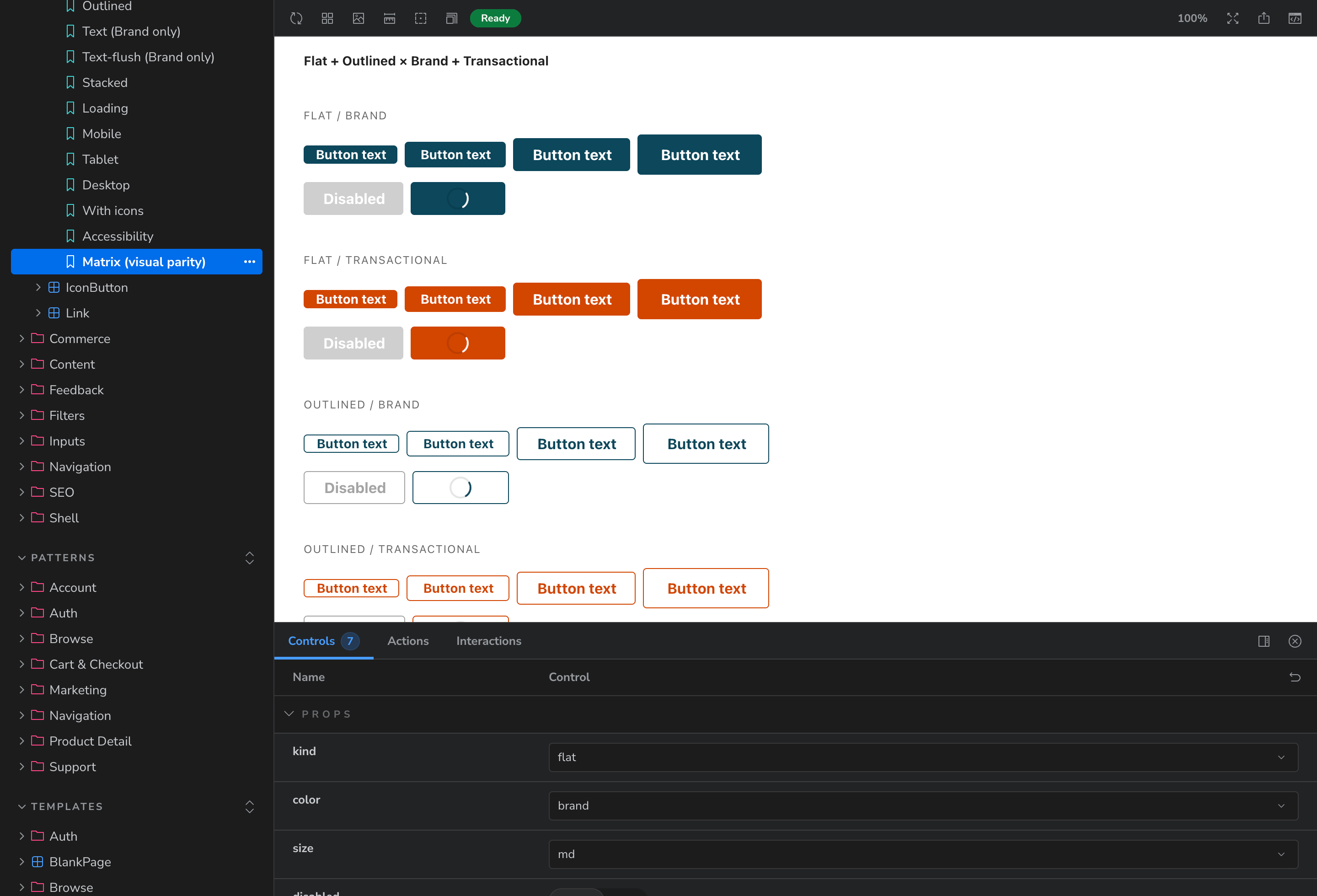
So we built the library. Every component in our Figma design system, coded on the exact production stack. Vue, TypeScript, Vuetify, SCSS, in the same structure as the real site. Hard rules on both the build and the consumption: everything maps to tokens, nothing hard-coded. It took six weeks.
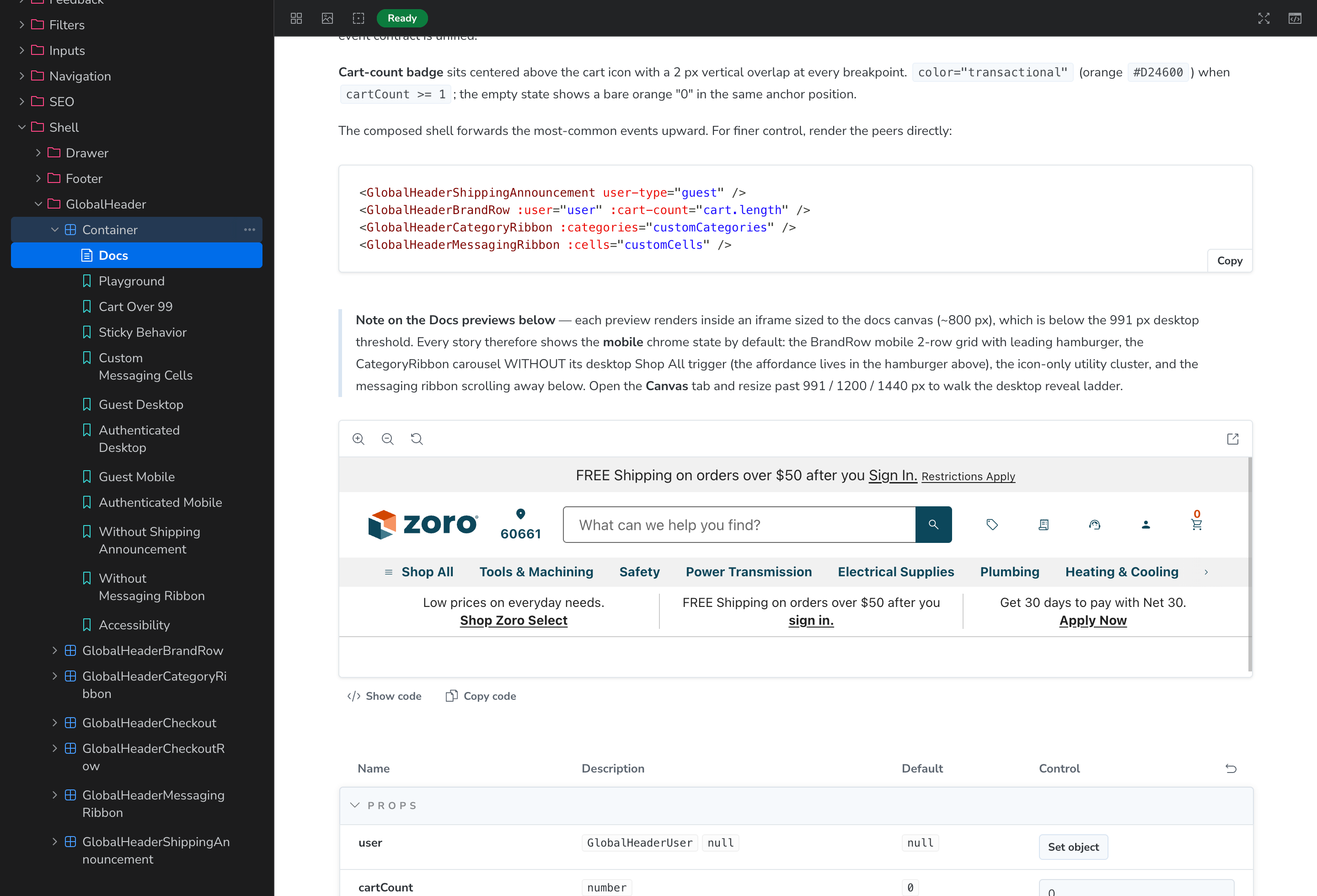
Then components became patterns. Patterns became templates. We kept going until every common page in the catalog existed as a composable template. The patterns carry their dependencies with them — ask for the navigation and you get everything the navigation does, including the Deals Drawer it opens.
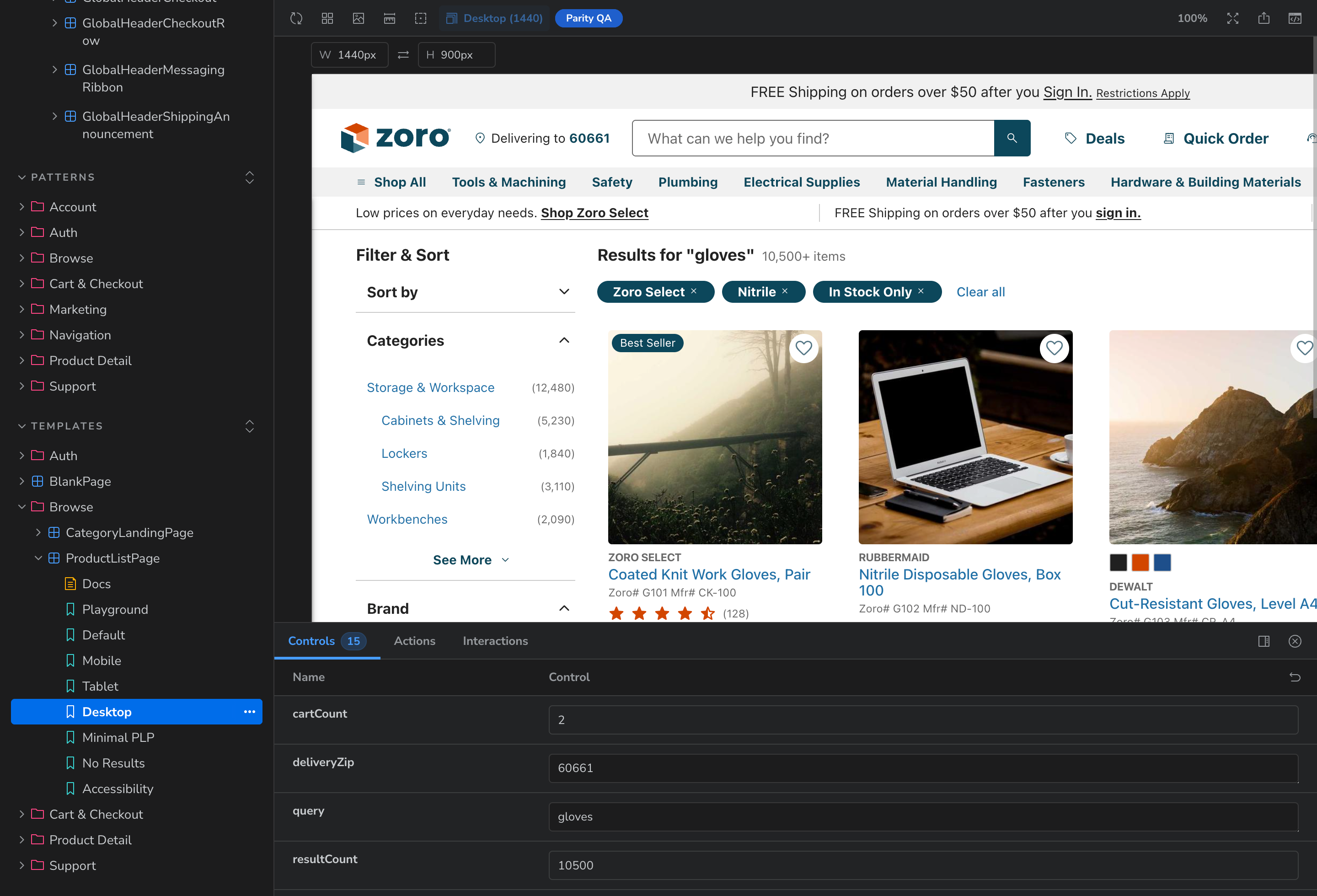
And nothing is faked. We exported 200 real products from our product cache. The category ribbon shows our actual categories. A PLP fills with pages of real products, filters included. The PDP pulls real product data, image routes and all. Prototypes built on this library don't feel like prototypes.
Ninety seconds
A library only helps the people who use it. A lot of our designers had still never opened Cursor. That's who we built the on-ramp for.
Two prompts. Clone the Storybook, drop it into your tool of choice, paste the Project Setup prompt. Then a skill spins up your template. About 90 seconds from nothing to a fully functioning page, ready to prototype a real feature on. Any page in the catalog, because we already built them all.
The on-ramp — two prompts, about 90 seconds
Clone
Follow the Start Here guide in the Storybook. Clone the library locally.
Context
Drag the folder into the Cursor chat. Paste the Project Setup prompt.
Skill
Type /add-pdp-page-template. Or any of a dozen page skills, because every catalog page already exists.
≈90s
Ready
A fully functioning page on the production stack, ready to prototype your feature on.
Every project needs some combination of these
The Storybook solved prototyping. But once we had that, the next question was obvious: what else are we all doing manually that we could speed up?
We built each skill the same way. One of us had a project. We used AI to do the task. Then we asked it to turn that process into a skill. Then we iterated — alone, together, with UXR, with whoever the work involved — until it felt ready to share. Project context first. Then competitive research. Then journey mapping. Each one built on what came before.
The goal was never to replace the work. It was to get a head start on the parts that have always felt like overhead: the brief nobody wants to write, the Figjam nobody wants to build, the journey map nobody wants to diagram. Do those faster. Spend the time you saved on the parts that actually require you.
The goal
3 months
→ 1 month
Not by skipping the work. By getting a head start on every part of it.
Who uses it
Everyone
The same skill gives a designer, a PM, and an engineer different answers. That's by design.
Project setup
Project Context
Reads every meeting transcript and Slack thread. Identifies conflicting asks, fills the project brief template, and flags gaps for stakeholder sign-off. You can keep adding to the context folder as the project evolves.
Research
Project Research
Checks the internal knowledge database for anything we've researched before, then searches Baymard, NN/g, and the web. Returns a research brief tied directly to your OKRs, goals, and open questions from the brief.
Research
Competitive Research
Screenshots competitors and relevant non-competitors, builds the Figjam board, writes per-site analysis, and links every finding back to something specific in the project brief.
Planning
Journey Mapping
Reads the brief, the research, and the full site and repository graph. Maps every touchpoint the project will touch and tells you which Storybook templates you'll need to start prototyping.
Design
Prototyping
Pulls templates from the Storybook library into Figma or working code — or both. Generates 15–20 starting points across the identified touchpoints. Inspiration, not prescription.
Testing + Presenting
Narrative
Writes test plans from the brief and journey map, summarizes usability results, and helps build the story of how you present the work to stakeholders.
The loyalty program is running all of them
This isn't hypothetical. My current project is a brand new loyalty program. The project context skill read every meeting note, transcript, and Confluence doc ever created about loyalty, pulled the Jira epic, identified three directly conflicting stakeholder asks, and started filling in the brief template. That alone used to take a week.
The competitive research skill built the Figjam board: screenshots of how competitors handle loyalty, a written analysis for each one, a benchmark table against Zoro, every source linked. The journey mapping skill read the brief, the research, and our full site graph, then flagged every touchpoint the experience will need — home, my account, category pages, PLP, PDP, cart, checkout, order summary. That list becomes the scaffold. Every page standing before I design a single screen.
The loyalty program is also Phase 4 of the Deals System. These projects keep feeding each other.
Enablement is a UX problem
Now we're user testing it. Real Zoro designers who have never opened Cursor, sitting down with the on-ramp while we watch where they stumble. We designed the ecosystem the way we'd design anything: build for the user, test with the user, fix what confused them, test again.
And it's not just designers. Engineers use it to show us their ideas. Product managers use it to show us theirs. Stakeholders demo features in meetings on a real working website instead of a slide deck.
We would have done it anyway
There was no mandate. No roadmap item. No OKR. Two people meeting every week asking "can we do this faster?" and then actually building the answer. We kept our design leaders in the loop and the response was always the same: "I love it, keep going."
When Zoro announced the AI First initiative, it didn't change what we were doing. It just meant other people were going to need what we'd already built. We'd seen that coming. That's why we'd been building it.
The efficiency pays for the side quests. The side quests keep becoming the job.
AI Workflow Enablement is now a formal part of what we do. The library gets better with every project. The skills multiply. None of it has ever taken more than a 40-hour week. The time we save is the budget we spend on making the next thing easier.