Sorry, Figma! I’m Coding Prototypes
I used to pride myself on my Figma prototypes. Dragging arrows around and creating a mass of digital spiderwebs, screens, and interactions. I felt like a magician! But, damned if that didn’t take a lot of time. Entire weeks were spent turning the design into something we could actually test with users. Now, I can do it in a couple of hours. And I never have to touch Figma to do it.
The first time I did this was an endeavor unrelated to my design work. We had been using AI for most of the year at this point, but always to do simple things—analyzing data, summarizing meeting transcripts. (I used that em dash, damn it! That’s not AI!) But that isn’t the revolutionary type of work that Leadership was hoping for.
They tasked us, “AI Champions,” to push the boundaries a bit. Not to figure out how to speed up the work we do, but to change it completely. With these tools in place and creative minds working with them, could we develop entirely new processes? Flip our workflow on its head and do things differently. But also better. Faster. More efficient.
I’m like Robocop, but with comfy clothes instead of armor
Not True
A new process
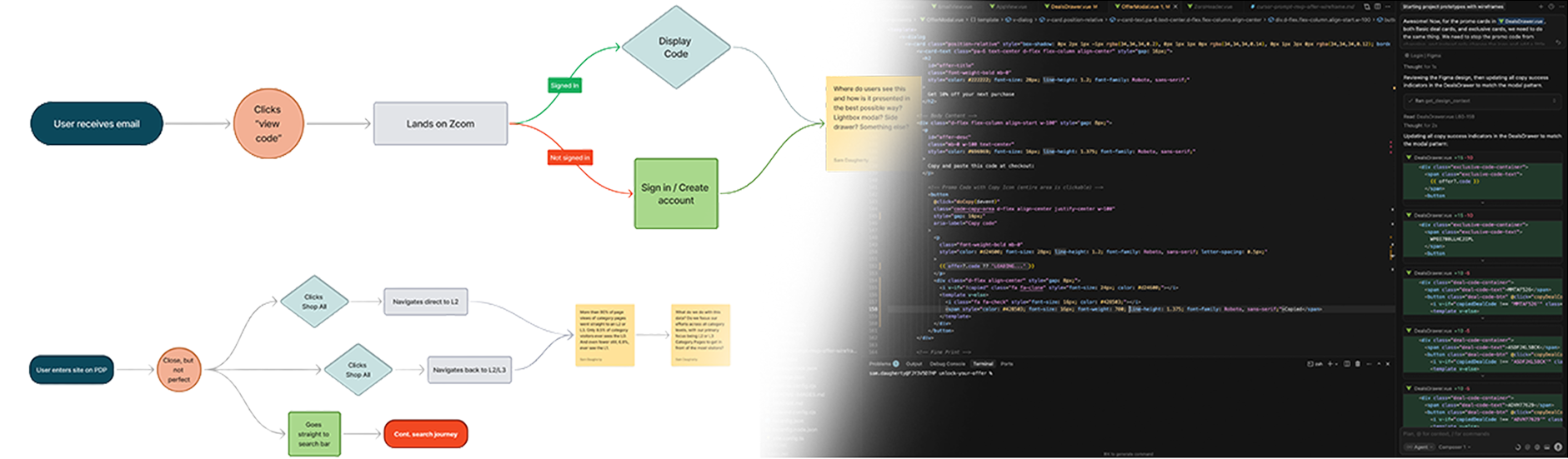
I was in the beginning stages of an entirely new user journey for onsite promotions when the idea came to me. I had just wrapped up my journey maps, identifying happy paths, unhappy paths, and edge cases. At this point, I would have started crafting wireframes.
Instead, I turned to Cursor. Well, first, ChatGPT. Cursor didn’t have planning mode yet. I fed it my journeys, put it in thinking mode, and explained the rough idea I had about what this flow might look like. And then I had it write me a project kickoff prompt in markdown.
I dropped it in the local repo folder, opened it in Cursor, and said, “Here you go!”
What happened next changed the way I work forever.
Wait, When Did You Make This?
The prompt had 17 items in the to-do list, and ran for several minutes straight. The end result looked like a wireframe you could click. Not great. But a solid start. Enough to give me some ideas and a sense of direction of what to prompt next.
We were working in wireframe mode, so we were using a wireframe token set I had. It was basically our brand tokens, but grayscale, pared down, and made minimal. It looked roughly like our site.
I had worked with coding agents enough to have a decent workflow and knowledge. I created a to-do list of design tweaks and ran down the list, prompting specific designs. And before lunch rolled around, I had a fully working, lo-fi, interactive prototype of the entire journey (including all the edge cases). It was mobile responsive right out of the gate and ready to use for feedback and testing.
When I shared a link to it with my team, they were amazed. I had nothing started in our morning stand up, and here it was, not even lunch, and I’m passing around a working version for them to interact with.
The New Workflow
What we started here set the tone for how we work now. With that two-hour prototype, I spun up a short test in UserTesting and got immediate feedback from 5 participants. I pasted the transcripts into ChatGPT, had it summarize them, and gave me a new feedback and change-log prompt to paste back into Cursor. And an hour later, I was ready for a new round of iterative testing and feedback.
In a single day, I went from idea to a lo-fi functional prototype that we were testing with real users, iterating, and testing again. By the end of the day (plus an extra hour), I had a settled design direction. I took screenshots of every net-new component I mocked up and jumped into Figma to convert them to hi-fidelity components.

I then fed those components, one by one, into Cursor via the Figma MCP once the designs were done and critiqued. Cursor used them to convert my lo-fi prototype into a hi-fidelity, pixel-perfect, fully coded prototype of the entire journey. And we completed it all in half the time it normally would have taken.
I’ve never looked back since that moment. Using Cursor to code prototypes has cut that portion of the work by 80% or more. I’ve shared this process with other designers on staff, and several people are skipping Figma for prototyping altogether. The time- and cost-saving has been remarkable across the entire workflow.